Recent Thoughts
Lately, I’ve been running into a frustrating problem during my daily development: there’s no stable, publicly accessible environment to host my projects. In the AI era, I can build tons of interesting apps — but most of them end up stuck on my local machine. And as every developer knows, anything that only runs locally is one step away from the classic “It works on my machine!” moment. So I started thinking seriously about packaging and deploying my apps somewhere beyond my own laptop.
Deployment Options
So, where do I put my code? That’s a great question — honestly, it deserves its own in-depth comparison post covering things like self-hosting vs. cloud providers, stability, and scalability. I won’t go through all of that here; I’ll just share what I’ve observed firsthand.
There are plenty of cloud providers to choose from — the big names like Google Cloud, AWS, and Azure, or smaller options like Render and Fly.io. Many of them offer free tiers for testing your projects. But as you dig in, you’ll quickly run into some common limitations:
- Free tiers aren’t always permanent (e.g., AWS Free Tier lasts only 1 year)
- Permanent free resources are often too limited (single core, 1GB RAM, request caps, etc.)
- Serverless? Sorry — serverless still has cold starts, it’s not a magic bullet
So finding a solid place to host a backend project is harder than it sounds. (I’ll leave the frontend ecosystem discussion for another day.)
As for me? I ended up running things on an old laptop sitting at home — not exactly a calculated decision, just the most convenient option at the time.
I used to hack around with AWS serverless to host static pages, but that came with its own headaches: high latency, unstable URLs, and the joy of having AWS API Gateway silently replace my URLs every time I pushed a new version. Technically cheaper, but way more annoying in practice.
That’s when I decided it was time to get my own domain name.
Buying a Domain
There are plenty of registrars out there, but I ended up going with Cloudflare Registrar — mainly for the price. Here’s what the search looks like:
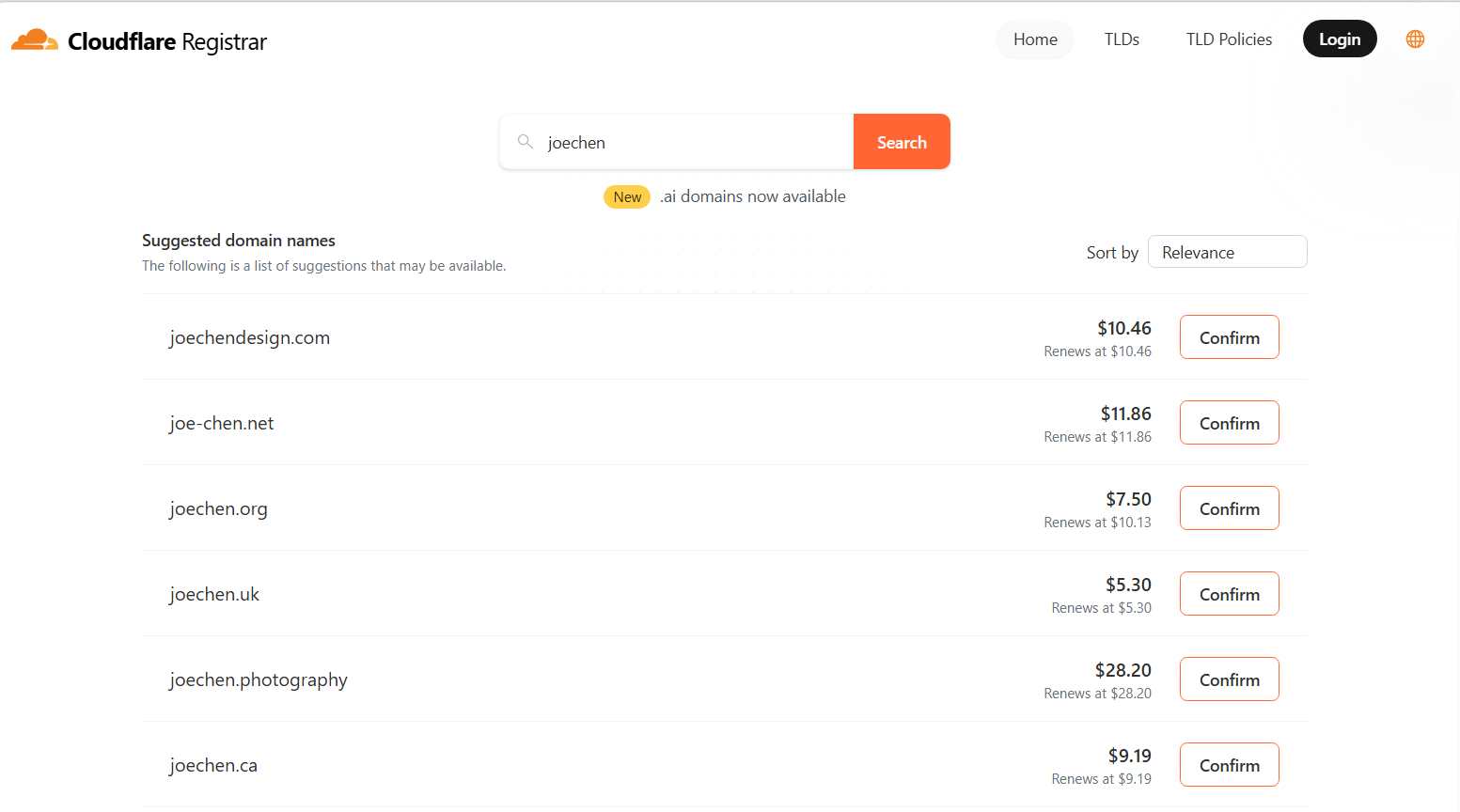
When you search for a name, you’ll see a list of available options. If your preferred name isn’t there, it’s probably already taken — so just pick from what’s available.
You’ll also notice that domains have different endings. These are called Top-Level Domains (TLDs) — think of them as the broadest category a domain can belong to. Common ones include:
.gov— government use only, not purchasable by the public.com— the most common, typically represents a company or organization.org— often used by nonprofits and associations.dev— designed for developers, managed by Google, HTTPS-only by default.io— a favorite among tech startups and side projects
There are many more — pick one that fits your vibe and budget.
One thing to watch out for: the first-year price may differ from renewal pricing. That’s actually why I chose Cloudflare Registrar — they price domains at cost, with no markup. Compare that to somewhere like GoDaddy, where first-year deals look amazing until renewal hits… you know how it goes.
Once you’ve picked your domain and checked out, it’s yours. Congrats.
Why Cloudflare Is Worth It
After purchasing, I’d encourage you to spend some time exploring the Cloudflare dashboard — there’s a lot of useful stuff in there.
For starters, Cloudflare automatically handles SSL certificate provisioning and renewal for your domain. Nearly every modern website uses HTTPS, and if yours doesn’t, browsers will show a security warning to visitors. SSL handles the encryption layer for data in transit — without it, everything your users send or receive is exposed. With Cloudflare, this just works out of the box.
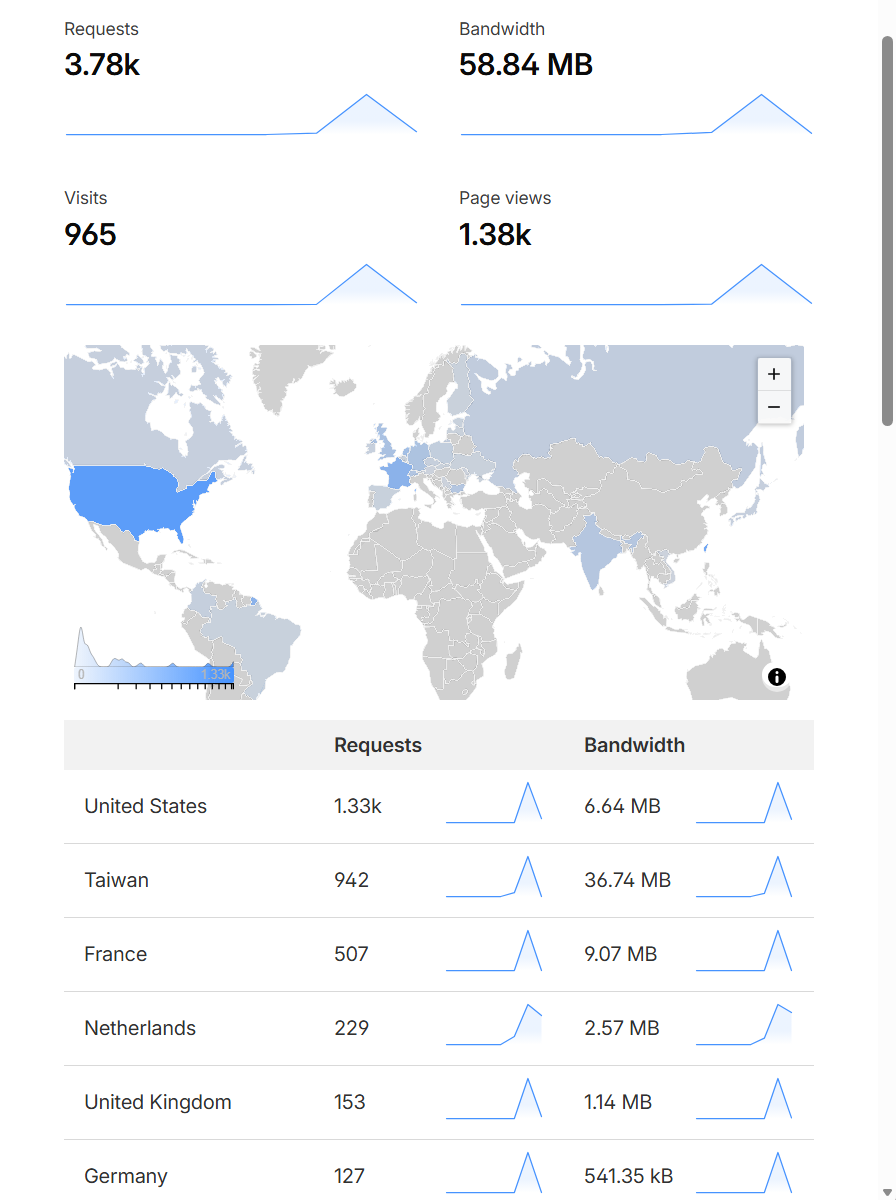
The dashboard also gives you access to useful features like managing multiple domains, analyzing suspicious traffic, and blocking AI bots. My personal favorite is the Account Analytics view — it lets me see which countries my visitors are coming from and how often each one shows up.
Cloudflare also offers Pages, which is essentially a static site hosting platform. If you’re running a blog, you can connect your GitHub repo to Cloudflare after buying your domain — Cloudflare Pages will detect your static site and handle deployments automatically. That’s exactly how this blog is deployed.
Conclusion
After getting my Cloudflare domain, everything just felt smoother and more organized. I’d recommend it to engineers — and honestly, to non-engineers too.
Here’s why owning a domain is worth it:
- You get a permanent corner of the internet. No more digging through bookmarks trying to remember which URL your project is living at this week. Whether it’s a side project, a personal brand site, or a tech blog — it all lives under one roof.
- For engineers: you’ll gain hands-on familiarity with how the web works — DNS, caching, TLDs, and modern AI protection services. And it’s not expensive; my domain costs under NT$500 per year.
- For anyone building a personal brand: a consistent, stable URL makes SEO much more effective and helps people actually find and remember your site.
That’s my experience with buying a domain. Thanks for reading — see you around!